
Chores your way
Set up a chore in seconds, on whatever schedule your family runs on. Share the work fairly, or let the kids race for it.
Quick to add
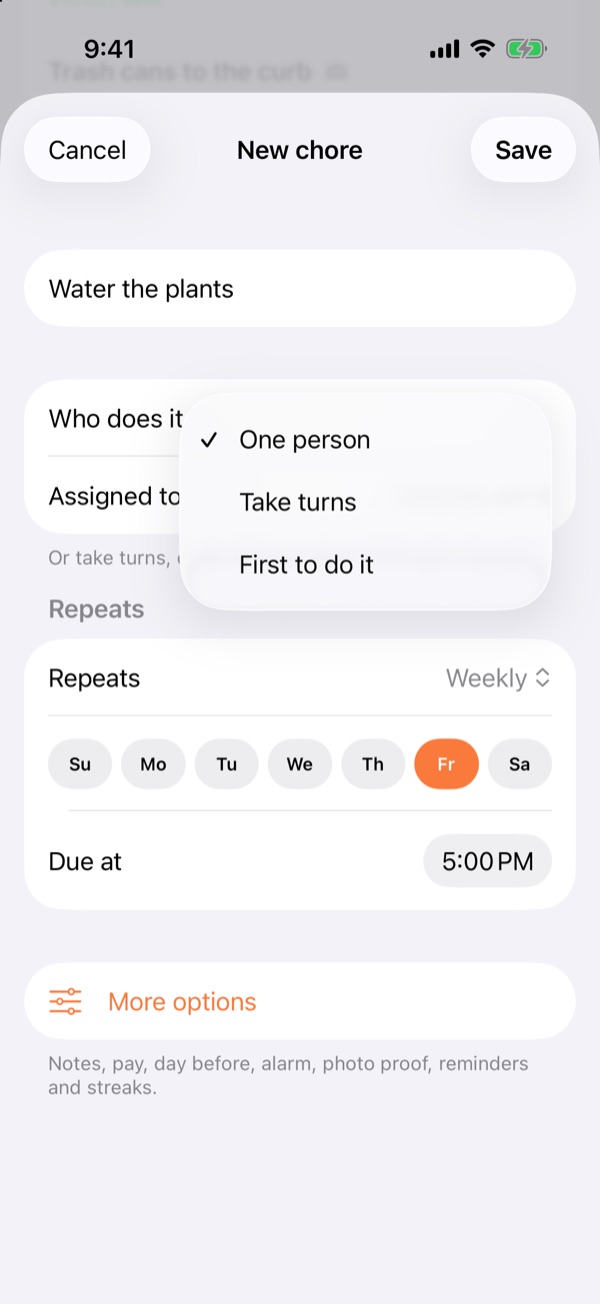
Name, who does it and when it's due come first. Everything else waits under More options.
- Every day, every few days, chosen weekdays, every other week, monthly (like the first Saturday) or just once.
- Due the day before for things like trash night before pickup.
Take turns
Rotate a chore between kids without reassigning it by hand.
- Switch every time (odd and even days for a daily chore) or every week.
- Everyone can see whose turn is next.
Up for grabs
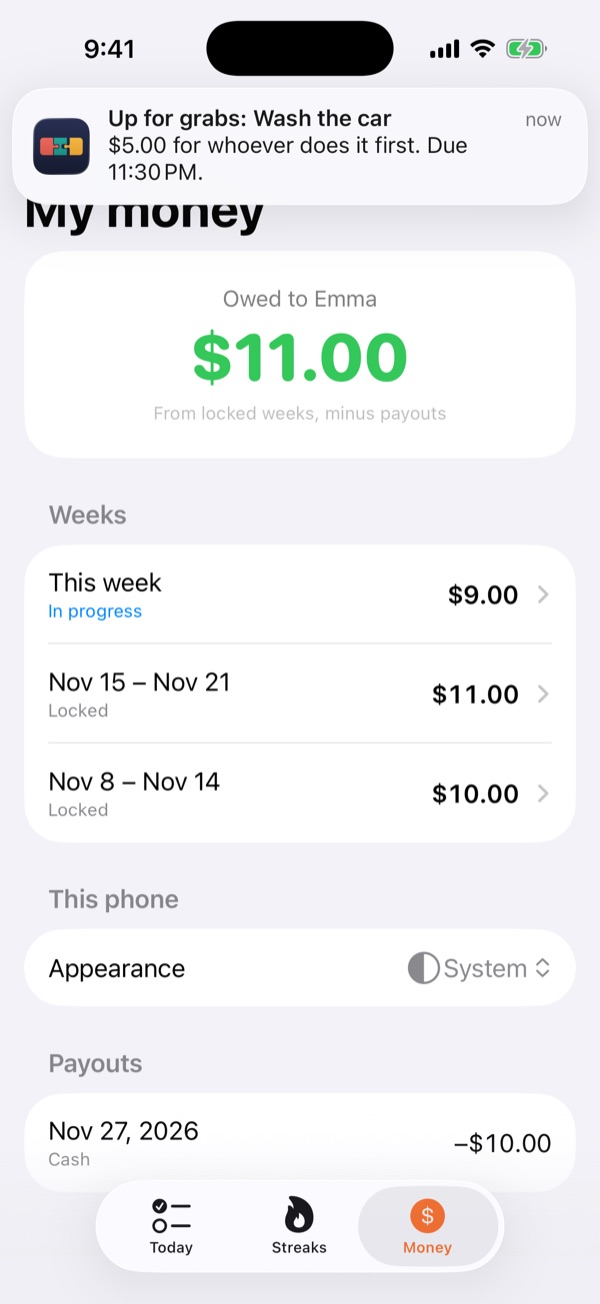
Post a chore for several kids. Whoever does it first gets it, and the bounty.
- Bounties can be money, or a reward like dinner choice or 30 minutes of screen time.
- Kids get a notification when a new bounty shows up.
- If nobody does it by the due time, it simply goes away.
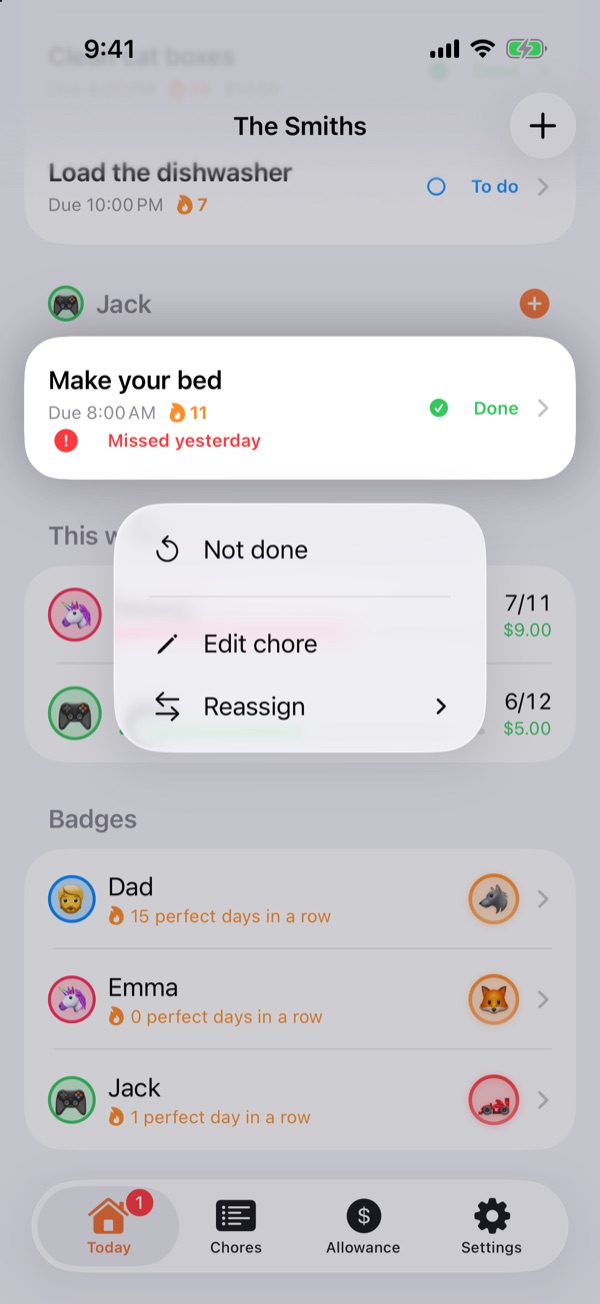
Quick changes
Long-press any chore to mark it done or missed, edit it, or hand it to someone else.
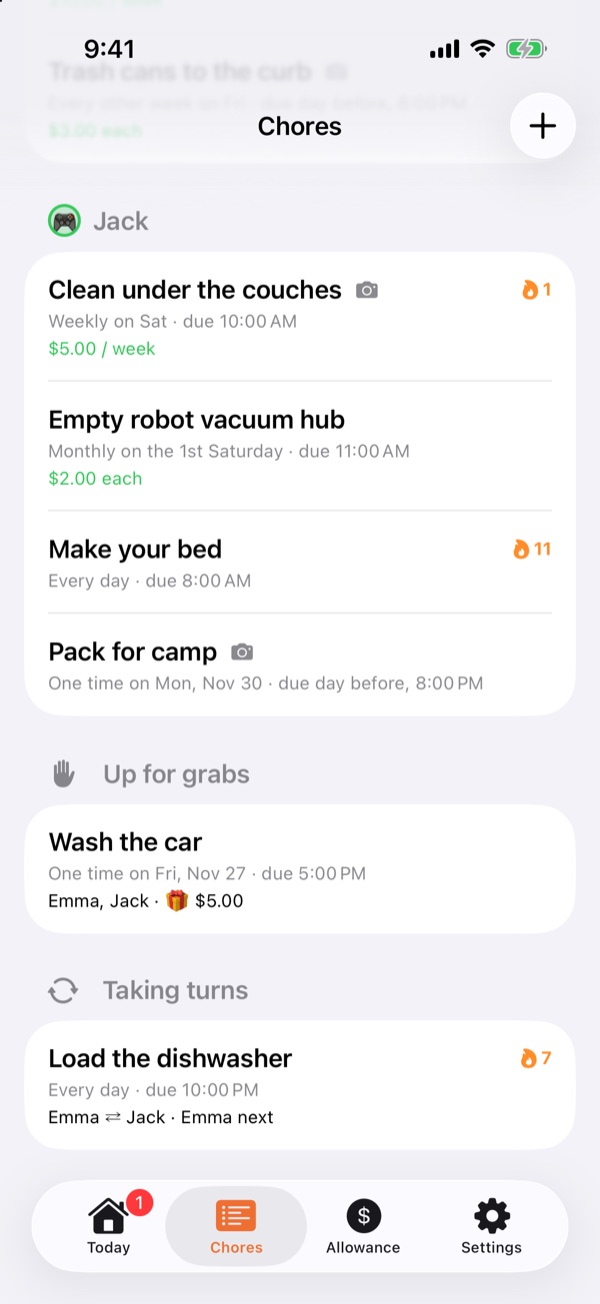
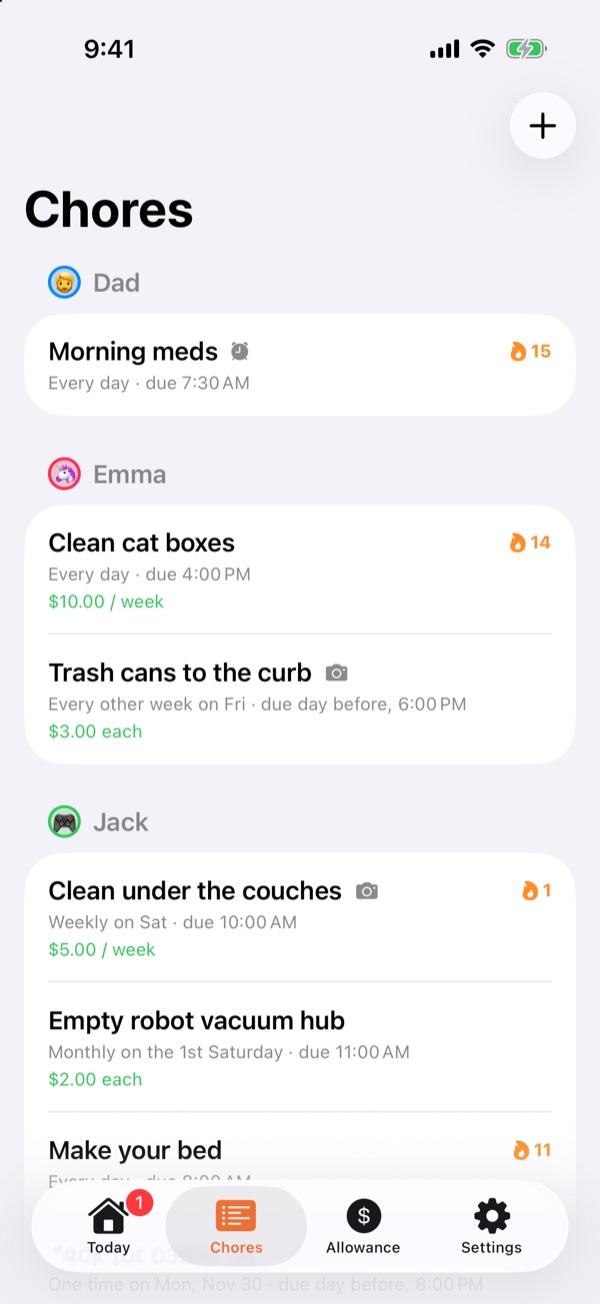
Every chore at a glance
The Chores tab lists everything by person, with its schedule, pay and current streak.
More of what it does
Reminders and alarms
Gentle nudges, then louder ones, and alarms for what can't be missed.
Photo proof
Kids snap a photo, parents approve it with a tap.
Streaks and badges
Days in a row add up, and perfect days earn badges.
Allowance
Pay per chore or per week, with streak bonuses. It adds itself up.
Made for the whole family
Everyone on their own iPhone, shared privately through iCloud.